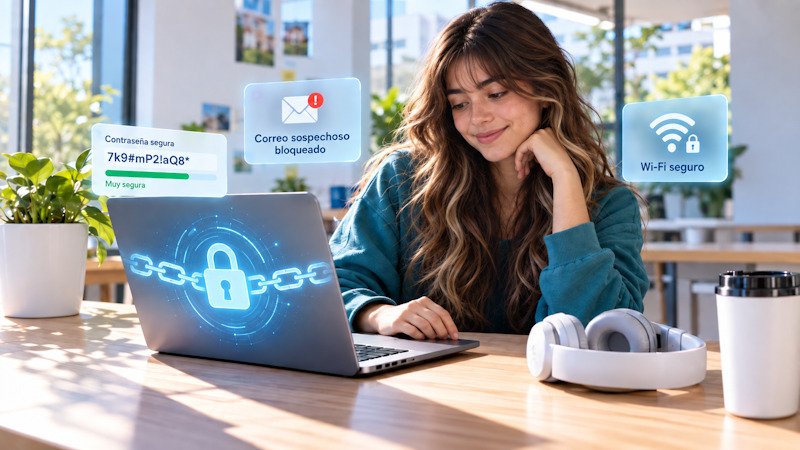
Much of student life takes place in digital environments: email, educational platforms, cloud storage, social media, and devices used in various locations.
All of this makes it easier to study, communicate, and work as a team, but it also introduces vulnerabilities that need to be protected. At the same time, digital threats are evolving and may become increasingly difficult to recognize.
That is why cybersecurity should not be viewed as a task reserved for specialists. It starts with simple decisions that can be incorporated into daily life and help protect academic, personal, and financial information.
What Is Cybersecurity and Why Is It Important?
Cybersecurity encompasses practices and tools designed to protect accounts, devices, networks, and data from unauthorized access, data theft, and other digital risks.
Its goal is to protect devices, files, personal data, and communications from digital threats.
According to the Global Cybersecurity Outlook 2026 from the World Economic Forum, digital threats are evolving rapidly. Artificial intelligence (AI) plays an increasingly important role in both protection and the development of more sophisticated attacks.
The report notes that in 2025, 73% of those surveyed indicated that they had personally experienced—or that someone they knew had experienced—some form of fraud facilitated by digital means. In addition, 87% identified AI-related vulnerabilities as the fastest-growing cybersecurity risk.
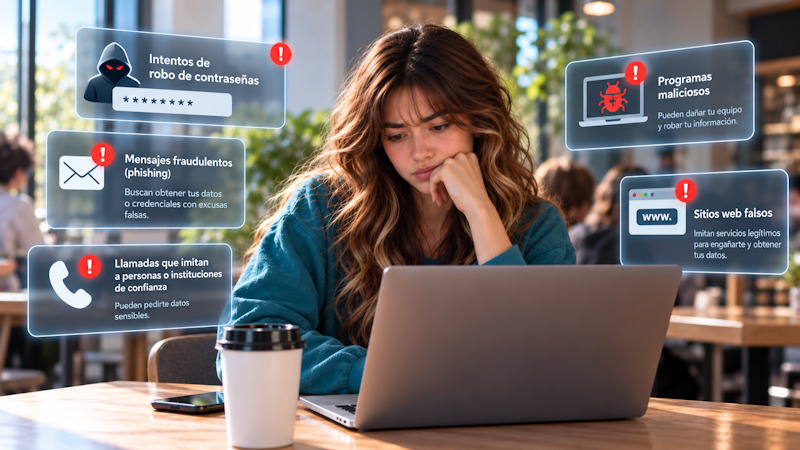
Among the most common threats are:
- attempts to steal passwords
- fraudulent messages that seek to obtain data or credentials through phishing
- calls that impersonate trusted individuals or organizations
- programmes malicious
- fake websites that mimic legitimate services
For example, students may receive an email that appears to come from their university and asks them to log in to view a supposed academic notification. The link may lead to a page that looks almost identical to the usual platform but is designed to steal their login credentials.
It is also possible to use AI to generate realistic voices and images that mimic trusted contacts.
That's why it's no longer enough to spot obvious errors in a message. You also need to pay attention to the context and check whether the request makes sense before clicking, downloading a file, or entering data.
Are you thinking about what major to choose?
Learn about the full range of college majors offered by the Universidad ORT Uruguay
Cybersecurity Best Practices for Students
Students can adopt simple habits to keep their accounts secure. This set of everyday practices that help reduce exposure to threats is known as digital hygiene.
Studying involves using devices in a wide variety of settings: from laptops and personal tablets to desktop computers in libraries, classrooms, or shared spaces. Each environment presents different risks.
The European Union Agency for Cybersecurity (ENISA) includes risk prevention and awareness measures as part of this approach . Regularly reviewing how accounts and devices are used helps detect problems before they turn into an incident.
Learn to Recognize Phishing Attempts
Phishing is a deceptive technique designed to obtain passwords, personal data, or other sensitive information. Before entering any information or clicking on an unexpected link:
- Be wary of messages that create a sense of urgency, such as warnings that an account will be immediately blocked
- Check who sent the message and carefully review the sender's address
- Avoid entering passwords from links you receive unexpectedly
- Go directly to the official website or app when you need to check a notification
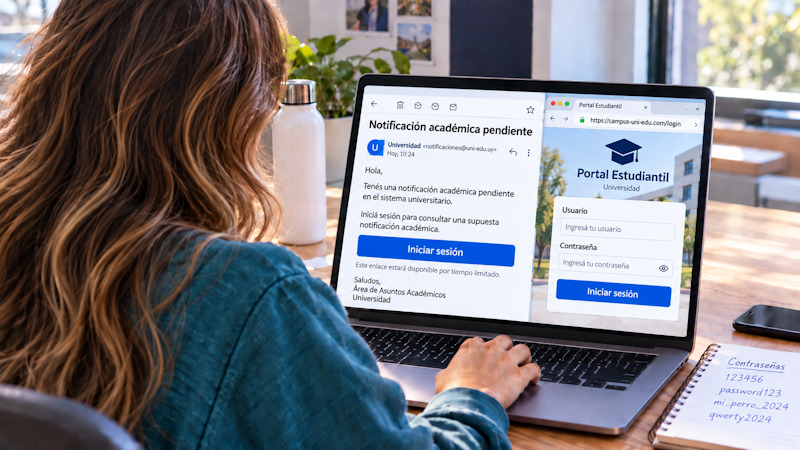
A common scenario is receiving a message warning that your university account will be suspended within the next few hours and asking you to “verify” it by clicking a link within a few minutes.
The sense of urgency is meant to prompt the person to act without stopping to verify whether the message is genuine.
Use Different and Secure Passwords
Passwords are one of the main barriers to accessing an account.
If a service suffers a data breach and the same password is used for other accounts, that email-and-password combination could be used to try to gain access to those accounts.
To reduce that risk:
- Use a different password for each service, such as email, educational platforms, and social media
- Prioritize long, hard-to-guess passwords, and avoid using names, birthdates, or simple sequences
- Use a reliable password manager to store credentials and generate unique combinations
- Avoid sharing passwords via email, text messages, or other channels
For example, students may use the same password for a text-editing platform, their personal email, and a social media site. A data breach at any of these services could put the other accounts at risk.
Enable two-step verification
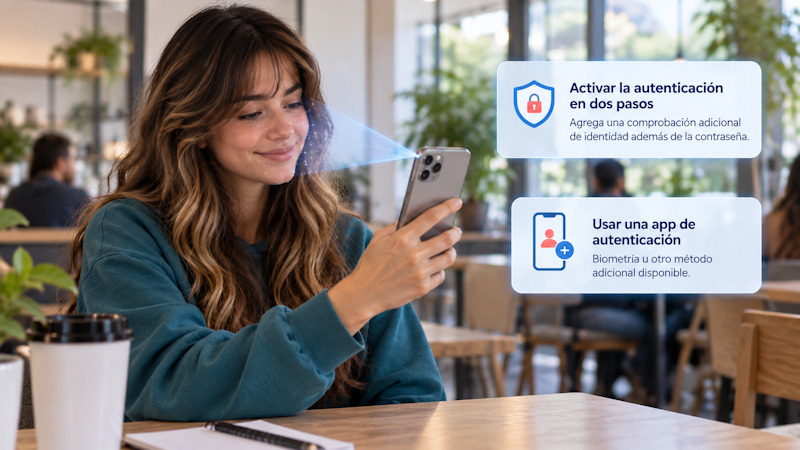
Two-step authentication adds an additional identity verification step in addition to the password.
Even if someone else obtains an account's password, they will still have to pass an additional step to gain access. Whenever the platform allows it:
- Enable two-step verification for your most important accounts
- use an authentication app, biometrics, or another available method
- Keep your recovery codes in a safe place, in case you lose access to your primary device
- Periodically review which verification and recovery methods are associated with each account
Keep your devices and apps up to date
The “Update Later” button may be tempting, but many updates fix security vulnerabilities.
To maintain a basic level of protection:
- Regularly update the operating system on your computer, phone, or tablet
- Keep your browser and frequently used apps up to date
- Enable automatic updates when they are available and download updates only from official sources
- Remove apps that are no longer used but still have access to information or device permissions
In academic life, notes, assignments, class materials, and communications may be spread across various accounts and devices. Keeping things organized helps reduce oversights.
A simple routine might include periodically reviewing account settings, checking which devices have access, and revoking permissions that are no longer needed. These are quick steps that can be incorporated into your regular use of technology.
What to Do If an Account Has Been Compromised
If something seems off, it's best to take action before you have all the answers. Unusual activity doesn't necessarily mean that an account has been compromised, but it does warrant reviewing access and settings as soon as possible.
A login notification from an unknown location, messages sent from the account that the person does not recognize, or unexpected changes to recovery information are signs that require attention.
A Google Research study on credential theft identified phishing, malware, and data breaches as some of the main ways passwords are exposed. These threats can ultimately compromise personal accounts.
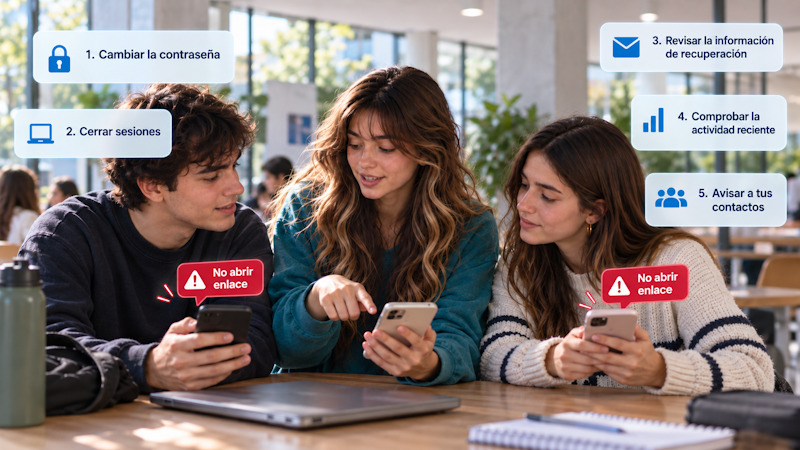
If you suspect that an account has been compromised:
- Change the password for the affected account to a new one that is unique to that service
- Close any open sessions on other devices to prevent potential unauthorized access
- Review the recovery information, such as the associated email address and phone number, and verify that it has not been changed
- Check recent activity to detect logins, configuration changes, or unusual actions
- Notify your contacts if messages they don't recognize were sent from the account, especially if they contain links or requests for money
The response also depends on the type of information that may have been compromised. If the account was linked to payment services, financial information, or sensitive documents, it is advisable to act more urgently and contact the relevant provider directly.
Regaining access shouldn't be the last step. Once you've regained control of your account, it's a good idea to review what happened and try to identify the possible cause of the problem.
If, for example, credentials were entered on a fake webpage, a suspicious file was downloaded, or a password was reused on other services, the incident may reveal a vulnerability that should be addressed.
The more technology is present in our daily lives, the more important it is to develop guidelines for using it safely.
Protection does not depend solely on programmes antivirus software or authentication systems, but also on the ability to recognize warning signs and act prudently. For students, this is especially important at a stage in their lives when much of their academic and personal life takes place in digital environments.
- Would you like to learn more about cybersecurity? You can visitCybersecurity Recommendations
For this reason, cybersecurity can also be understood as a form of digital autonomy: it allows us to use technology more safely and judiciously.
Are you thinking about what major to choose?
Learn about the full range of college majors offered by the Universidad ORT Uruguay